
mogenius vs. Lens
Desktop app for Kubernetes clusters, installed per developer via local kubeconfig.
K9s is a terminal UI for one engineer, mogenius is a platform for the whole developer lifecycle. Both work against clusters you already run, and they answer different questions: how fast one engineer can move in a cluster, against how a team ships to it and who is allowed to do what. This page compares both along the criteria that actually decide the case.

VS.
mogenius is a web-based platform for the developer lifecycle on Kubernetes. It connects to existing clusters through an open-source operator and adds workspaces per team, central RBAC and SSO, GitOps pipelines, built-in monitoring, and audit trails across clusters.
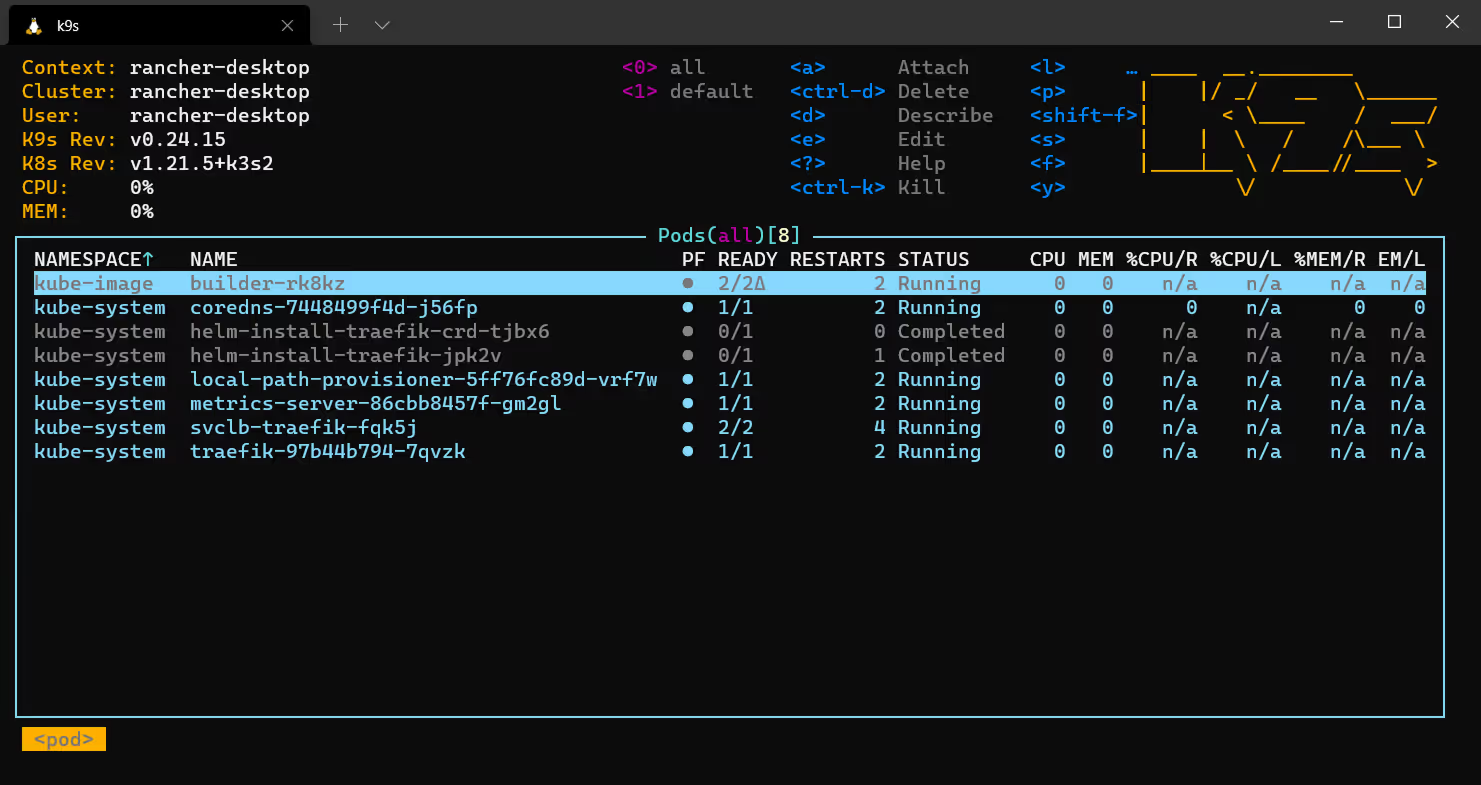
K9s is an open-source, terminal-based interface for Kubernetes, maintained as a community project. It gives fast, keyboard-driven access to cluster resources through the kubeconfig of the person running it, and is extensible through plugins defined in YAML.
The dividing line is not the number of features. It is scope, who the software serves, and whether it carries governance.
The developer lifecycle on Kubernetes: deploying, operating, monitoring, and governing access across clusters and teams.
A terminal UI for navigating, observing, and managing cluster resources at speed, with context and namespace switching built in.
Whole teams with mixed experience levels, including people who should not need kubectl in order to ship.
The engineer who works in the terminal and knows Kubernetes well enough to move without a UI.
Connects to existing clusters through an open-source operator, in the cloud, on premises, or at the edge. Users work in the browser, with nothing to install per machine.
Installed locally per machine and run against whichever kubeconfig context is currently selected.
Several clusters side by side in one interface, with RBAC, policies, and templates that apply across all of them, in the cloud, on premises, or at the edge.
Clusters and namespaces through the kubeconfig context currently selected, switched from the terminal one context at a time.
Access is granted centrally through workspaces and RBAC, with SSO through Okta, Entra ID, AWS IAM, or Auth0. Developers work without a cluster credential of their own, and access stays revocable and attributable per team and environment.
Uses the kubeconfig of the person running it and inherits exactly the RBAC that identity holds. It can also display RBAC roles and bindings for inspection.
Part of the platform: GitOps pipelines with Argo CD integration, build and deploy per application, environments per team, plus templates and golden paths.
Outside its scope. Deployments run through the CI/CD the team maintains around it.
Included: Prometheus and OpenTelemetry integration, live pod logs, Kubernetes events, and resource topology in one view, shared by the whole team without wiring up a separate stack.
Shows resource usage from the Metrics API, plus logs and events in the terminal, per engineer and per session.
Policies, roles, and audit trails across all connected clusters, plus ISO 27001 and PCI-DSS evidence generated continuously from live operational data, CB-validated by TÜV Rheinland.
Actions are traceable through the cluster's own audit log, tied to the identity in the kubeconfig that was used.
AI Agents you define yourself: prompt, model, and the tools an agent may use, scoped to a workspace and a team. Five ship preconfigured, from Security Auditor to Workload Doctor, and they run on a schedule or when a resource changes. Actions wait for approval before they run, and every one is attributed to an identity in the audit log. Any hosted or self-hosted model connects, as do MCP servers.
The project documents no AI features. Interaction stays manual and driven by the engineer's own knowledge.
The operator that connects clusters is open source, and mogenius maintains the MIT-licensed Renovate Operator. The platform itself is commercial, so one vendor carries maintenance, security updates, and support obligations, and it is extensible through API, CLI, and SDKs.
Open source and community maintained, extensible through plugins defined in YAML and custom skins. Maintenance, updates, and support follow the project and its contributors.
A shared, governed environment in which a whole team ships, and in which access and actions stay accountable.
Speed and precision for someone who lives in the terminal and wants no interface in the way.
*This comparison does not cover every feature. It is based on publicly available project and vendor documentation as of July 2026. Both develop continuously, so check the current documentation of each product for anything that matters to your decision. For mogenius, that is the mogenius documentation.
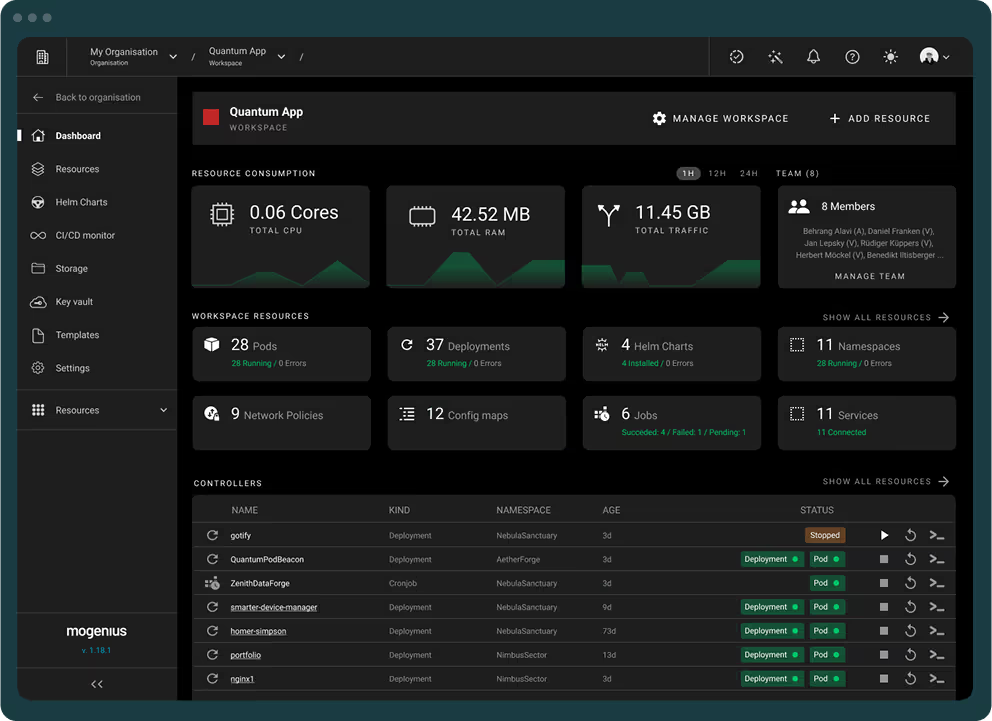
A terminal UI makes one engineer fast, and K9s is very good at that. mogenius continues where a local tool ends: workspaces per team and environment, central RBAC and SSO instead of a kubeconfig on every machine, GitOps pipelines from commit to environment, built-in monitoring, and audit trails plus compliance evidence across clusters. Both can run side by side, and many teams do exactly that: K9s stays the fast local tool for engineers who prefer the terminal, while mogenius serves the wider team through a shared interface.
Get started effortlessly with an optimized setup process that reduces time to productivity
Organize your resources efficiently and monitor performance across different environments.
Enhances security by defining roles and permissions, ensuring that users have access to only what they need.
Integrate effortlessly with your CI/CD pipelines for streamlined deployments.
Adaptable platform that grows with your needs, providing customizable solutions.
Quickly identify and resolve issues with real-time logging, alerts, and resource topology views that surface problems before they impact operations.
Built-in AI Agents and AI Chat let teams interact with their clusters safely, governed by the same RBAC and workspace structure that controls all other access.
Native GitOps workflows and Single Sign-On integrate directly into your existing engineering processes, so access management and delivery stay in one place.









K9s is a terminal interface for inspecting a cluster, run locally by one engineer. mogenius is a web-based platform for teams that adds developer self-service, workspace isolation, central RBAC and SSO, GitOps pipelines, and monitoring on top of cluster visibility.
K9s is aimed at experienced Kubernetes administrators and developers who work efficiently in a terminal. mogenius is aimed at teams with mixed experience levels that need structured access control and a shared environment, including people who should not have to learn kubectl in order to ship.
Yes. Alongside the web interface, mogenius provides a CLI and APIs for automation and integration into existing toolchains. The platform stays the collaborative layer, while the CLI covers scripted and pipeline use.
K9s has no built-in collaboration: each person runs it locally with their own kubeconfig, so there is no shared state and no common permission model. mogenius provides dedicated workspaces with RBAC governance, so a team works in one structured environment and access stays revocable and auditable.
Yes, many teams do. K9s stays a fast local debugging tool for engineers who prefer the terminal, while mogenius serves the wider team of developers, platform engineers, and leads through a shared web interface.
mogenius provides a web-based interface that covers what K9s shows in the terminal, including live logs and Kubernetes events, and extends it with deployments, pipelines, and team permissions. Unlike K9s it needs no local installation per machine.
Book a walkthrough of mogenius on your own clusters, or explore what the platform covers first.
Certifications & Memberships






mogenius is a CNCF Silver Member, a NeoNephos Foundation member, a Certified Kubernetes product, and ISO 27001 certified via TÜV Saarland.